
Searching Cases by Name
The statewide entry point is re:SearchTX, and it requires a basic account. From there, pick Cases or Hearings. Choose a search dimension, and narrow things down with Location, Case Category, and Case Type. Coverage depends on which courts supply their data. So the service cannot promise a complete Palo Pinto County case search on its own.
- Create or sign in to the required account and choose Cases for case records or Hearings for scheduled events.
- Select party name as the search dimension. Enter last and first name as accurately as possible.
- Add Palo Pinto as the Location when available, then select the likely Case Category and Case Type.
- Use the documented asterisk wildcard cautiously for a party name, then narrow broad matches with official filters.
- Open the matching description to review Case Details. Compare court, filing date, case type, and public party role.
- If nothing reliable appears, contact the clerk for the court that should hold the matter.
| Field Label | Type | Required | Use |
|---|---|---|---|
| Cases or Hearings | Mode | Choose one | Separates case records from hearing results |
| Search By | Selector | Yes | Case number, party, attorney, judge, or other supported dimension |
| Party First/Last | Text | Conditional | The official guide documents * wildcards |
| Location | Filter | No | Narrows statewide matches to the chosen court location |
| Case Category/Type | Filters | No | Reduces unrelated civil, criminal, family, or probate results |
Palo Pinto re:SearchTX Workflow
re:SearchTX offers both basic and advanced modes. Results can sort by newest filed, oldest filed, or case number. You may export them as well. Clicking a case description opens its details, while a hearing-type link opens hearing detail. The official guide also describes account tools. These include folders, case alerts, sharing, and other activity features.
The official portal page shows the statewide entry screen without exposing private case data. View the source for the Palo Pinto County case-search image.
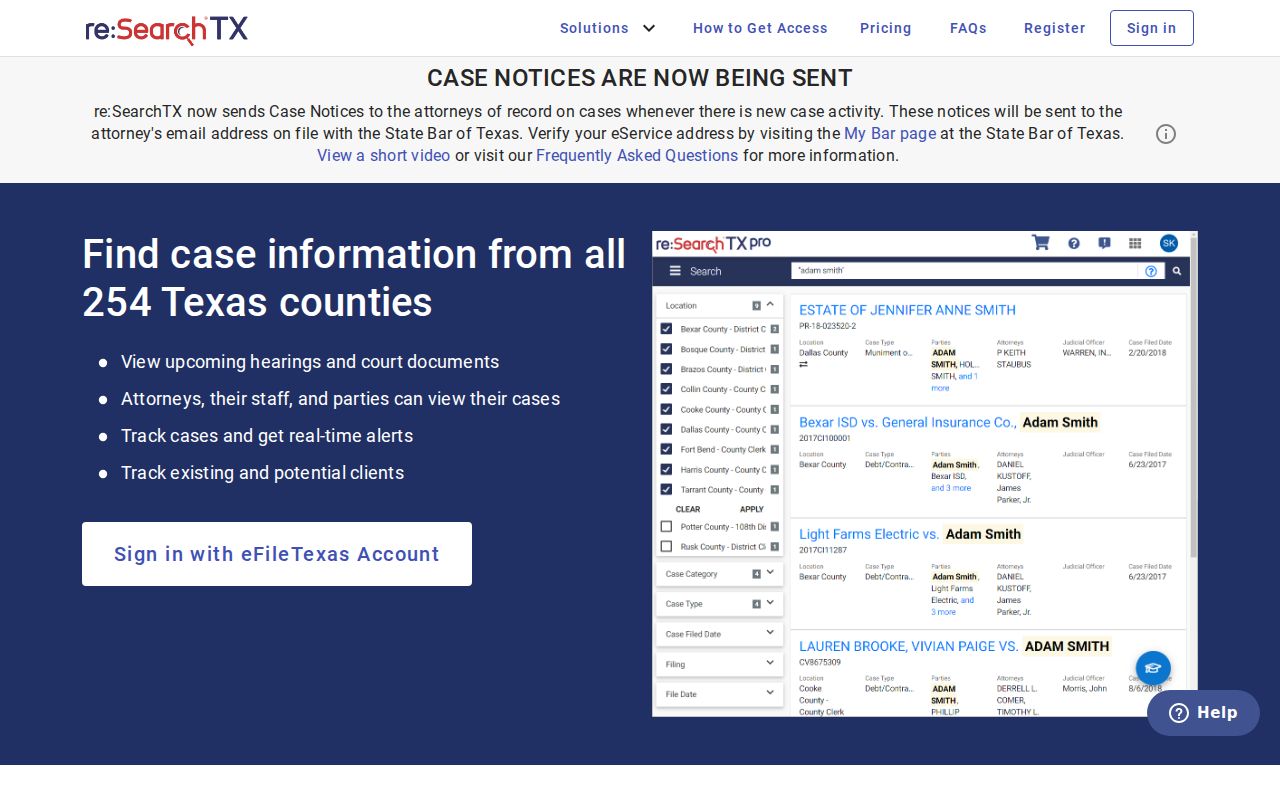
That entry screen is the state search layer, nothing more. It does not prove that every Palo Pinto County filing, document, or hearing sits in the system.
Searching by Case Number
A case number is the best local identifier when you have it. The County Clerk requires a case number before providing civil, criminal, or probate information. There is no single safe number pattern across every Palo Pinto County court, so never force a sample like YYYY-XX-##### into a search field unless it matches the source document.
Copy the cause or case number exactly as it appears on a citation, notice, pleading, or order. Keep every letter, leading zero, punctuation mark, and suffix. In re:SearchTX, choose case number under Search By and add Location when you can. At a clerk counter or by email, give the number plus the court, record type, date range, and format you want. A District Court number will not always work in County Clerk, JP, or municipal systems.
If part of the number is unreadable, ask the proper clerk which segment can be dropped. Never swap in a citation number, e-file envelope number, document instrument number, or appellate number. Each points to a different record layer.
Palo Pinto Offline Search Fallback
Palo Pinto County states plainly that County Clerk civil, criminal, and probate records are not online. Public computers are available at County Clerk locations. The office requires a case number for information. Current clerk channels are (940) 659-1277, (940) 468-0170, and countyclerks@co.palo-pinto.tx.us. A flood-repair notice moved filings to the Mineral Wells Annex. Confirm the current counter location before you go.
District felony, family, and general-jurisdiction civil records sit with the District Clerk. The current official contact is Nathan Choate at (940) 659-1279, fax (888) 965-1549, nathan.choate@co.palo-pinto.tx.us, or P.O. Box 189, Palo Pinto, Texas. The office takes official-record requests by email. The county offers no public district search box.
JP records stay precinct-specific. Use the court named on the citation or filing, not a different precinct's vendor. Mineral Wells municipal cases run on the city's own citation system. Gordon, Graford, Mingus, and Strawn have no official docket portal. Their matters should not be routed to Mineral Wells by default.
What a Case Search Returns
The statewide fields can show a case header, location, category, filing date, parties, attorneys, judicial officers, filings, documents, and hearings. What actually appears depends on the court supplying the data. So a Palo Pinto County case search result may be an index-level lead rather than a complete local docket or full case file.
| Case Number | The court's identifier; compare every character with the source record. |
|---|---|
| Case Type | The public category or type supplied by the participating court. |
| Location | The court or location associated with the result. |
| Filed Date | The filing date shown by the source system, not necessarily an event or order date. |
| Parties and Attorneys | Public roles and names when supplied and not restricted. |
| Judicial Officer | The judge or officer associated with the case when populated. |
| Filings and Documents | Entries, metadata, or links; some documents may be unavailable or sold through a cart. |
| Hearings | Dates and types when supplied; confirm future settings with the court. |
Finding a document and opening it are different things. A title may show up while the image stays restricted, unavailable, or subject to a court charge. The statewide guide describes those document charges, which the court receives.
When Palo Pinto Search Is Empty
Start by checking your search choices. Switch between Cases and Hearings as needed. Verify the spelling, wildcard placement, Palo Pinto location, category, type, and the exact case number. A broad statewide name search can pull in unrelated people. Filters set too narrow can hide a result that matters.
Next, work out the likely court by jurisdiction. District Court handles felony, family, land-title, and larger civil matters. County Court handles Class A and B misdemeanors, probate, guardianship, and county-level civil cases. Justice Courts handle traffic, Class C offenses, evictions, debt, repair-and-remedy, and small claims. Mineral Wells Municipal Court handles city ordinance and fine-only Class C matters.
Then call the clerk and describe the search. Give the cause number if you have it. Include the court, the case category, approximate filing or event dates, and the specific record you want. A blank statewide result can mean nonparticipation, a processing lag, a spelling mismatch, a restriction, or an offline local record. It is not proof that no proceeding exists.
No result: Treat the portal result as a lead, then ask the proper Palo Pinto County clerk to confirm the record and access route.
Statewide vs County Case Search
Palo Pinto County runs no single portal where one name search covers every trial court. re:SearchTX comes closest, but it works as a broad statewide discovery layer. For records a clerk actually holds, that clerk's office stays the authoritative route. The county event calendar sits apart from both, and it offers no visible party or cause-number search.
| Route | Coverage | Best Use |
|---|---|---|
| re:SearchTX | Cases and hearings supplied by participating Texas courts | Statewide discovery by name, number, location, category, or type |
| County or District Clerk | Records held by that Palo Pinto County custodian | Confirmation, inspection, copies, and records absent online |
| County calendar | General published events in an event interface | Scanning dates, not party or case-number search |
| JP or municipal court | Precinct or city cases | Citations and matters assigned to that exact court |
Once you have a cause number, the deeper file request is a separate step. Turn to the Palo Pinto County court records access path for that. Search first if it helps, but verify with the office that keeps the original.
Palo Pinto Search Systems Differ
The official Tyler self-service portal belongs to the County Clerk. It covers real-property indexes and scanned images. It is not a criminal, civil, or probate case search. Its own disclaimer compares the index to a library catalog. It warns that data can change, and notes a page charge for document images. Searching it for a lawsuit or criminal case means searching the wrong record set entirely.
eFileTexas is not a public docket archive either. Attorneys and authorized filers use it as a filing channel. Palo Pinto civil and criminal e-filing shows up on the active-court chart. Submission, clerk acceptance, docket entry, and public availability are four separate stages. A filer tracks the envelope through the filing provider; a public researcher relies on re:SearchTX or the clerk.
The OCA Court Activity Database deals only in aggregate counts. It helps you study court workload, not look up a person's case. Keep these layers straight and you avoid false matches and unsupported claims.
Access and Restricted Cases
Public access does not always mean searchable online. The County Clerk states it plainly: juvenile records are closed to the public, consistent with Texas Family Code Chapter 58. Civil files can be sealed under Texas Rule of Civil Procedure 76a. Criminal information may be expunged or placed under nondisclosure. Warrants and investigative material answer to other laws and court rules.
A portal may also leave out protected addresses. The same goes for identifying numbers, medical or mental-health material, financial account data, victim information, and sensitive probate or guardianship reports. Some remote-hearing links and exhibits go to court staff only. They never reach the public docket. Do not try to slip past a restriction through a different service.
Access rule: Texas Rule of Judicial Administration 12 supports access to judicial records subject to its exclusions and other controlling law. A custodian can explain whether inspection, a redacted copy, or court authorization is available.
Preserve a Palo Pinto Search Trail
Save enough detail to repeat a search. Skip private data you do not need. Write down the official portal and the search date. Note whether you used Cases or Hearings mode, plus the location, category, type, and any wildcard. A clerk request calls for its own trail. List the cause number, office, date range, record requested, format, and the response you received.
re:SearchTX lets you export results. Its account tools may offer folders, alerts, and sharing. None of those tools are certified court records. An alert can signal activity. But it cannot replace a filed order or a direct setting notice. Before relying on material facts, verify them with the originating court.
Historic Palo Pinto County digging may take a different route. Archival docket sheets can hold offenses, parties, counsel, filing dates, orders, and minute-book references. Older series may sit unindexed. Ask for the record series, volume, or date range. Do not expect a modern name search to reach nineteenth-century material.
Note: Search results show what a system returned at that time; they do not certify full coverage, current status, or legal effect.