
The Palo Pinto County Court Calendar
The county's official Palo Pinto County Court Docket Information calendar works as a public events feed. It offers day, week, month, and agenda views. Visitors can move by month, toggle Select All, and stay within the visible General category. The current view can be printed to PDF. iCalendar and RSS links are also offered. Those let you pull the feed into other software.
The limits matter more. The calendar carries no field for a party, cause number, or judge. Court, hearing type, and courtroom are missing too. Custom date ranges are not an option. One stray item, a "Light box demo" from 2022, sits on the feed. That entry is a template artifact, not a real Palo Pinto County hearing. Read the page as a scheduling feed rather than a full court docket.
The official county page shows these controls in context. See the source for the Palo Pinto County calendar.
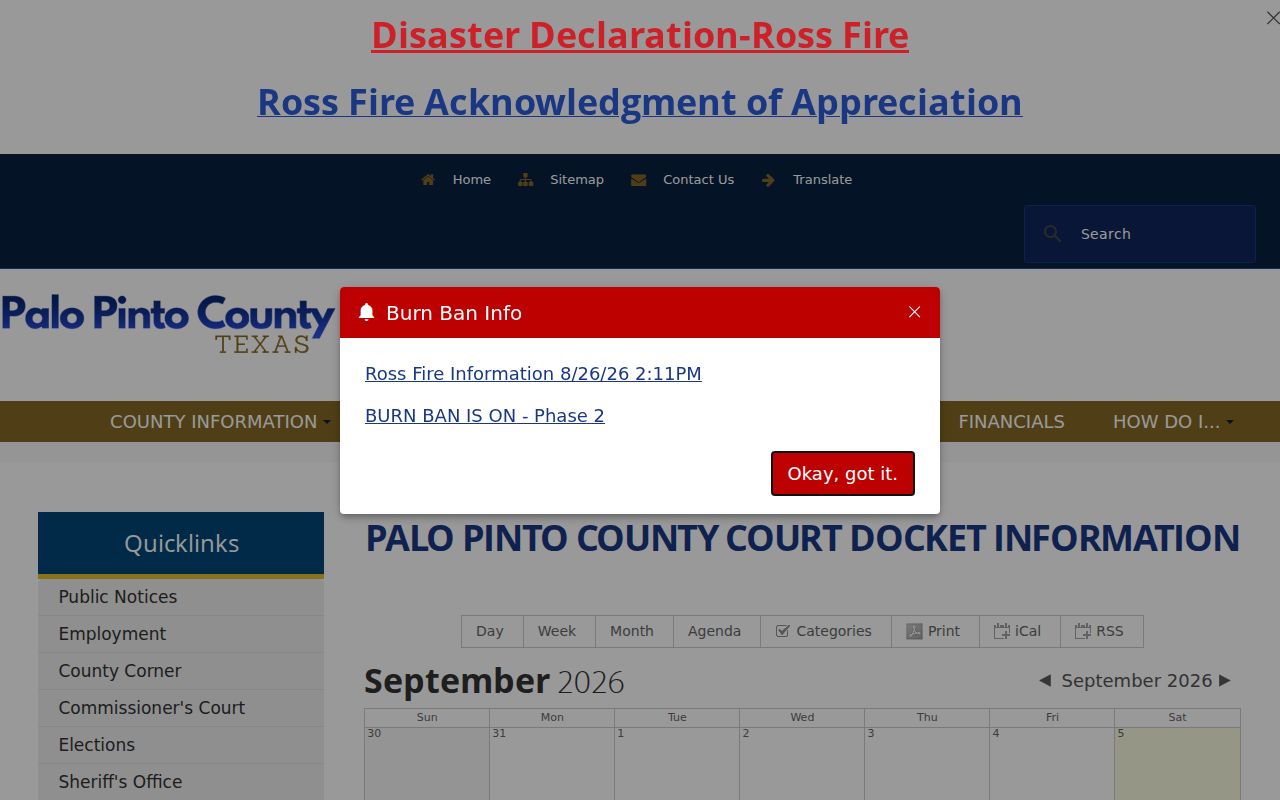
The event-view functions are handy, but they stop at events. No party or case-number search lives in this calendar.
Palo Pinto Calendar Views and Feeds
Each view answers one narrow question. Day view isolates a single date. Agenda view lists published events. Printing to PDF preserves whatever the view showed that day. Week and month views scan the dates around your target, and an iCalendar link drops feed items into calendar software while RSS pushes them to a reader.
The county publishes no instructions on feed retention, archive depth, or coverage across its courts. Confirm future settings with the court itself. A feed can lag, stick to General events, or skip a case kept on another court's calendar.
- Published event date
- A date shown in the county event feed, subject to confirmation.
- Verified case setting
- A hearing date confirmed through an order, docket, clerk, coordinator, or attorney.
- Calendar feed
- An iCal or RSS output that may be narrower than the full Palo Pinto County docket.
How to Find Your Court Date
Start with the paper that names your court. Palo Pinto County has the 29th Judicial District Court, a constitutional County Court, five Justice Courts, and Mineral Wells Municipal Court. No single public calendar covers them all. A cause number, citation, notice, or filed order tells you which route to take.
- Read the citation, notice, bond paper, or order for the court name, cause number, appearance date, and setting type.
- Check the county event calendar for a general published date. A blank view does not prove that no setting exists.
- Check re:SearchTX for a case or hearing supplied by a participating court. Statewide coverage is not guaranteed.
- Call or visit the proper clerk counter. County Clerk records may be checked at public computers and require a case number. District matters go to the District Clerk.
- For a district hearing, ask the court coordinator. For a JP or municipal citation, contact the court printed on the ticket.
- Compare date, time, place, and hearing type with the latest order, then confirm with counsel if represented.
Call the clerks. The District Clerk is at (940) 659-1279, the County Clerk at (940) 659-1277 or (940) 468-0170, and the County Court coordinator at (940) 659-1253 ext. 286. Check courtroom postings or a docket call for same-day guidance. The county posts no complete printed daily calendar online.
Palo Pinto Courts Keep Separate Dates
Each court sets its own dates. The District Court takes felony, family, land-title, and general civil matters. County Court hears county civil suits. It also handles Class A and B misdemeanors, probate, guardianship, and some JP appeals. Justice Courts handle traffic and Class C matters, along with limited civil claims. Mineral Wells Municipal Court has its own city citation channel.
| Matter | Date Source | Confirmation Route |
|---|---|---|
| District felony, family, or larger civil | Order, notice, re:SearchTX when supplied | District Clerk or coordinator |
| County misdemeanor, civil, or probate | County calendar and case record | County Clerk or County Court |
| JP traffic or small civil | Citation, notice, precinct vendor | Named Justice Court |
| Mineral Wells Class C matter | City citation search and notice | Municipal Court |
That routing prevents a common mistake. People search the county event calendar for a case that sits with a precinct or city court.
Reading a Palo Pinto Court Setting
A setting is a scheduled event, not always the trial. Check for the cause number, court, date, time, place, judicial officer, and event type. The public Palo Pinto County court calendar does not show all of these fields reliably, so the latest order, notice, citation, or clerk response may serve you better. Ask the clerk when in doubt.
| Date | The scheduled day; compare it with a later reset or continuance order. |
|---|---|
| Time | The docket-call or individual appearance time. |
| Courtroom | The room, building, or remote setting; the calendar has no public room filter. |
| Judge | The assigned or presiding judicial officer. |
| Setting Type | Arraignment, pretrial, motion hearing, trial, plea, or disposition. |
A filing date, appearance date, reset date, and disposition date each mean something different. Read the label before you act on it.
Palo Pinto Remote Hearing Deadlines
The 29th District Court remote-hearing rules, dated October 29, 2024, add steps a calendar entry never shows. Ask for a Zoom link by email. The coordinator or reporter needs that request by 4:00 p.m. the day before the hearing. The court posts no public list of remote links.
Hard-copy exhibits must reach the official court reporter. The address is 520 Oak Street, and the deadline is 4:00 p.m. on the preceding day. Emailed exhibits are not accepted. The reporter will not keep late or unprovided exhibits either. A court date alone is not enough. Confirm remote access, exhibits, and the case setting too.
Remote setting: Contact coordinator Sherry Roberson through the District Court office before the deadline and follow the specific hearing instructions.
Palo Pinto Resets and Continuances
A continuance postpones a setting. A reset moves it to a new date. A cancellation removes an event but does not necessarily dismiss the case. The safest source is the latest signed or entered order, followed by the office that schedules the matter. re:SearchTX may show hearings when a court supplies them, but an account alert is not county notice.
An item can vanish for many reasons. The court changed it, the feed category shifted, the page went stale, or the case sits elsewhere. Palo Pinto County gives no general update-time promise. So verify the new date, the event type, and whether you appear remotely or in person.
For a citation, the printed appearance date controls. It binds unless the issuing court changes it. No single countywide deadline covers all JP and municipal matters.
Verify Palo Pinto Hearing Locations
The calendar offers no courthouse or room filter. The county also posts no countywide closure or holiday list. One notice does matter. The County Clerk page says flood repairs moved clerk services to the Mineral Wells Annex. An office move alone does not move a court hearing. Still, it is a good reason to verify. Check where your Palo Pinto County setting will actually take place.
District Court Date Check
29th Judicial District Court
P.O. Box 187, Palo Pinto, Texas
(940) 659-1274
sherry.roberson@co.palo-pinto.tx.us
County Court Date Check
Palo Pinto County Court
520 Oak Street, Palo Pinto, Texas
(940) 659-1253 ext. 286
co.judge@co.palo-pinto.tx.us
Confirm whether the hearing is in person, remote, or relocated, and ask for the room or connection details tied to your cause number.
Palo Pinto Calendar Is Not Case Search
The event view shows no name or cause-number field. So it cannot prove a Palo Pinto County case exists, or that one does not. For real case detail, start with the statewide portal where it applies, then follow up with the County Clerk, District Clerk, JP office, or the municipal clerk. The field-by-field route is in the Palo Pinto County case search.
Two other systems get confused with calendar search. The Tyler self-service system covers real-property records, not court dates. eFileTexas receives filings, but it is not a free public archive of every docket. Each layer serves a different purpose.
Note: A blank event view is not proof that no case exists. Save your search date and confirm with the correct court.
Missed Palo Pinto Court Settings
Act promptly. Call the clerk or coordinator for the court named on the citation, notice, or order. Give them the cause number and date. Ask what the docket already records and what the next official step is. If you have a lawyer, contact counsel first. The event feed cannot cure or reset a missed appearance. So do not count on it.
Missed a setting? A missed appearance can lead to failure-to-appear action, a warrant, bond consequence, default, or another order, depending on the case.
Call the controlling Palo Pinto County court at once and ask whether a new date or formal request is required.
A licensed Texas attorney can advise on legal consequences and the safest way to return the matter to the calendar.
Note the office, the call time, and any instructions you were given. Then confirm through a filed order, the county clerk, or a fresh notice, since a true date change shows up in the court docket rather than an old docket image.