
How to Search Mineral Wells Dockets
For Mineral Wells Municipal Court cases, use the city's own citation system online. It is the fastest stop. You can search several ways. It takes a citation number with date of birth, a license number with state and birth date, vehicle data, a name plus birth date, or a business name. Use the citation number when you have it. That single detail narrows the query and spares you a broad personal-data search.
- Read the ticket and confirm that it names Mineral Wells Municipal Court.
- Open the official city citation search and choose the matching mode.
- Enter only the details needed for your own citation.
- Record the charge, status, appearance date, and payment information shown.
- Call the clerk when the result is missing, unclear, or a certified copy is needed.
Check the court named on your citation first. If it says JP5 or any other county court, skip the city portal and go to that court instead, since a Mineral Wells address alone never decides jurisdiction. County and district docket searches stay separate from the city system.
Mineral Wells Citation Search Fields
The Mineral Wells citation search lays out all five search modes before you type anything. That helps when the ticket is in hand. Still, keep birth dates, license numbers, and plate data out of public notes.
| Mode | Fields | Detail |
|---|---|---|
| Citation | Number and DOB | DOB uses MM/DD/YYYY |
| License | Number, state, DOB | State dropdown |
| Vehicle | Plate and state | Extra control may appear |
| Name | First, last, DOB | Personal search |
| Business | Business name | Separate mode |
The official city portal image shows the empty search interface.
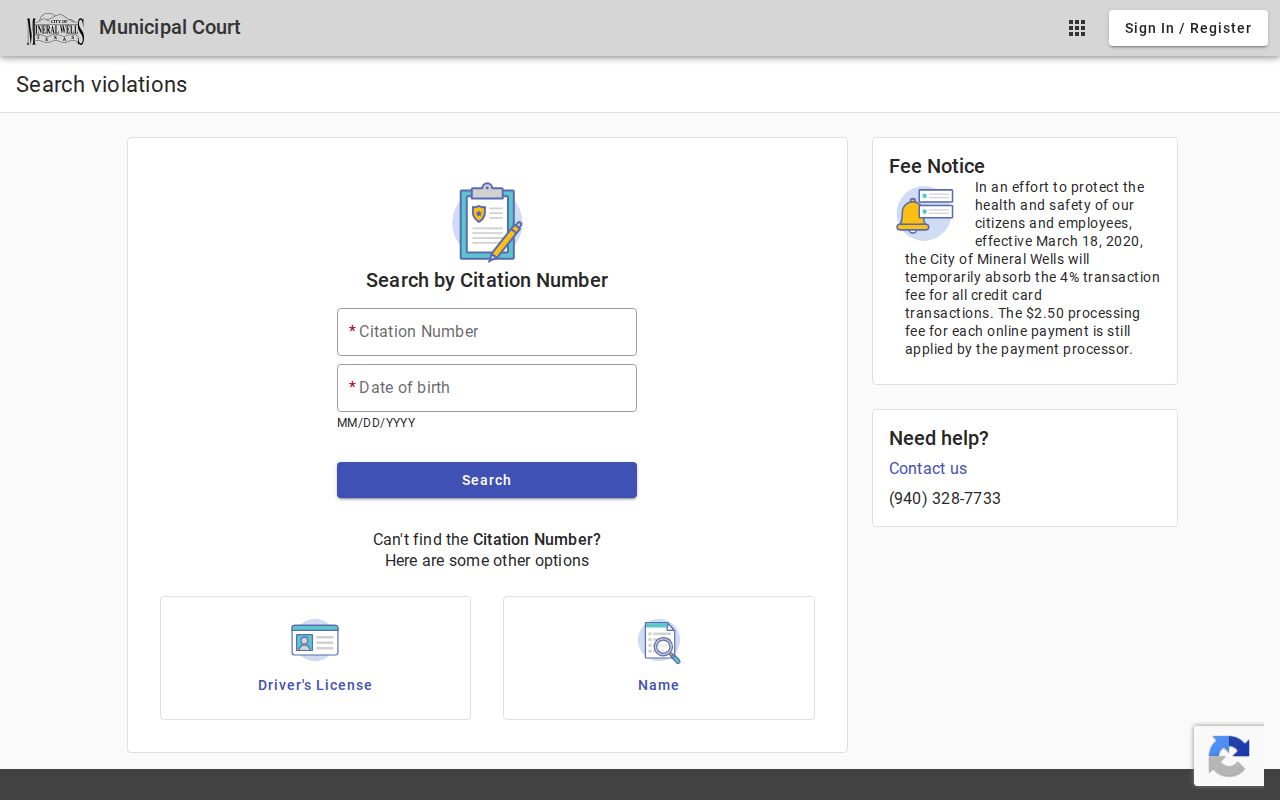
The page also has Search, Sign In, and Register controls, and JavaScript is required.
The Mineral Wells Municipal Court
Fine-only Class C misdemeanors are what Mineral Wells Municipal Court handles. Its docket covers traffic cases, certain Penal Code offenses, and city ordinance cases. It does not take on felonies, county misdemeanors, district civil suits, probate files, or JP matters. Proximity to Mineral Wells does not change that. Those belong to other courts. The official Mineral Wells court page names Municipal Court Clerk Karen Glover. It posts the city contacts plus the search link.
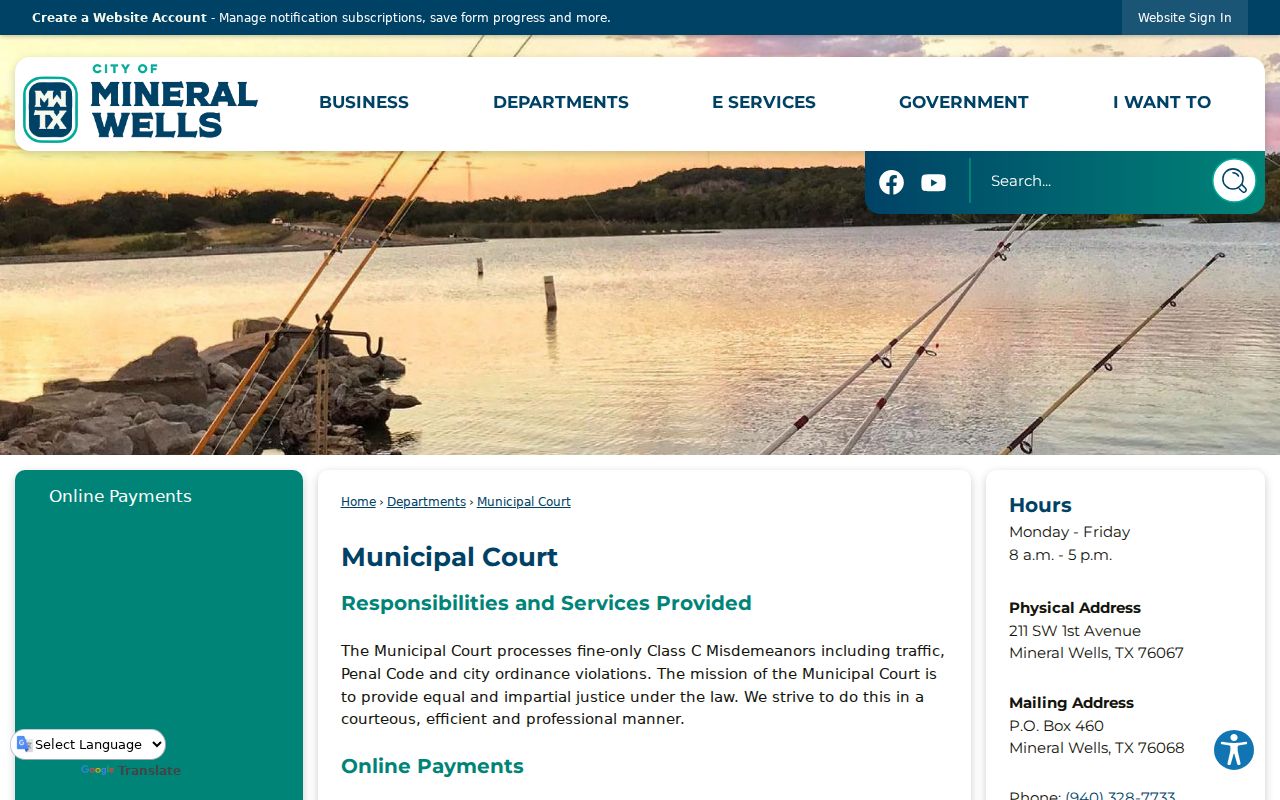
That city page is where current counter directions and any time-limited warrant notice live. Check it before you act. A public payment screen is not the full docket and never replaces a clerk copy.
Mineral Wells Court Counter
You will find the city court at 211 SW 1st Avenue, Mineral Wells, Texas 76067. Its published hours run Monday through Friday, 8:00 a.m. to 5:00 p.m. Call (940) 328-7733. Fax (940) 328-7732 or mail P.O. Box 460, Mineral Wells, Texas 76068. The city does not fully publish details on access, parking, or accepted payment methods. So call ahead when any of those matter to your trip. A quick call beats a wasted drive.
Mineral Wells Municipal Court
211 SW 1st Avenue
Mineral Wells, TX 76067
(940) 328-7733
When you write the clerk, name exactly what you need: the citation, offense date, full docket history, disposition, receipt, or certified copy. Specific requests keep the search tight to the city court.
Mineral Wells Court Dates and Settings
The appearance date printed on a Mineral Wells citation is the date to protect. An online result may show a setting or status on top of that. Only the court clerk can confirm a change. A payment deadline, appearance date, pretrial date, and trial date each do different work. One never substitutes for another.
| Citation | City case identifier shown on the ticket. |
|---|---|
| Issue Date | Date the officer issued the citation. |
| Appearance Date | Printed response date unless the court changes it. |
| Setting Type | Arraignment, pretrial, trial, compliance, or other event. |
| Status | Pending, reset, paid, dismissed, or disposed as recorded. |
A reset is not a dismissal. If the docket date no longer matches the paper citation, ask for the later docket entry.
Mineral Wells Payment Notice
The online processor adds a $2.50 fee to each payment, it says. The same page also carries older language. It mentions a four percent card fee absorbed beginning March 18, 2020. That stale date deserves a live check. Confirm the amount, the processor charge, and the case before sending money.
Paying can resolve a citation as a plea and disposition. Contesting it follows one route. Asking for a course, seeking deferred disposition, or requesting a reset each follows another. The portal gives no legal advice on those choices. Talk to the clerk and use the current city forms. Note: a portal balance is not a certified Mineral Wells court docket. The clerk stays the source for an authenticated outcome.
Mineral Wells Traffic Tickets
A traffic ticket written inside the city should name Mineral Wells Municipal Court. Search by citation number when you can, and confirm the appearance date. Keep the paper ticket. A JP5 citation belongs to the Justice Court. Both offices sit in Mineral Wells. The countywide Palo Pinto traffic court record route walks through the five-precinct split.
Paying and contesting do different things. Want to fight a ticket? Do not pay in place of filing the required plea. Course and deferred options vary by court, too. No single county deadline table covers every city and JP case.
Mineral Wells Warrant List Limits
The city's own court page links a warrant list. The city calls it reference-only. It carries weight only for its stated period and is not authority to arrest. Names from that list should never be copied onto a public research page. An old image of it says nothing about who is wanted today.
Check with the clerk: A missed date or warrant concern requires a current Mineral Wells court record. Call the Municipal Court rather than relying on a stale list.
That limit is why docket dates and live clerk confirmation matter so much. The warrant list is a narrow notice, not a case history, disposition record, or stand-in for the issuing court.
Mineral Wells Annex Is Separate
Mineral Wells also hosts a Palo Pinto County Clerk access point. People often mistake it for the Municipal Court. It isn't. The annex sits at 100 SE 6th Avenue, Suite 102, and answers at (940) 468-0170. It takes County Clerk filings on a temporary basis. That arrangement lasts while flood repairs continue at the Palo Pinto courthouse. Keep in mind that County Clerk hours and city court hours are not the same.
| Door | Address | Record |
|---|---|---|
| Municipal Court | 211 SW 1st Avenue | City citations and ordinances |
| County Clerk Annex | 100 SE 6th Avenue, Suite 102 | County Clerk civil, criminal, probate, property |
| JP5 | 100 SE 6th Avenue, Suite 103 | Precinct 5 justice cases |
Three public offices share one city, yet no single docket ties them together. The record you hold usually tells you which door to knock on.
Where Mineral Wells Cases End Up
Where does a Mineral Wells case go? City ordinance violations and fine-only Class C matters belong to the Municipal Court, unless a lawful appeal moves them. A JP citation stays in its precinct court. County-level misdemeanors, probate, and county civil filings land with the constitutional County Court and the County Clerk. Felonies, family law, and general-jurisdiction civil cases are heard by the 29th Judicial District Court, whose records sit with the District Clerk.
Docket flow: Mineral Wells Municipal Court › Palo Pinto County Courts › 29th Judicial District Court
Think of this as a map of levels, not a transfer that happens to every case. A city docket search is the wrong layer for county matters. The Palo Pinto County court docket page has the county-level routing detail.
Mineral Wells Complaint Records
The city's citizen-complaint form is an enforcement intake route, not a docket lookup. Filing it means swearing an affidavit. It also means giving a full and fair disclosure, signing, and agreeing to appear and testify if the matter gets contested. A prosecutor can also subpoena the complainant. That is how a complaint can start before any case docket exists.
Never treat a submitted allegation as proof of a filed citation. Ask the clerk whether the complaint produced a public case number. Also ask which public record can be inspected. The form alone cannot support an inference about a charge, hearing, or outcome. The court has not recorded one.
Public Mineral Wells Court Records
Texas access rules govern Municipal Court records, though personal details and restricted material may be redacted. Never use a search form to publish private birth dates, license numbers, plate data, addresses, or payment details. When the online entry falls short, request a redacted or certified copy from the city clerk.
Texas Rule of Judicial Administration 12 governs access to judicial records subject to its procedures and exceptions. Texas Government Code Chapter 552 supplies the public-information framework, while other law protects confidential matter.
A blank Mineral Wells court docket result can mean several things: the wrong court, a posting delay, a narrow portal, or a restriction. It does not prove that no court file exists.
A focused Mineral Wells records request should name the Municipal Court. Cite the citation number, give a date span, and identify the exact item sought. A docket history answers a different question than a citation image, payment receipt, dismissal, judgment, or certified disposition. Say whether an electronic plain copy suffices or clerk certification is needed. Ask about the fee and delivery method before ordering. These details let the city clerk pull the right file. They also keep unrelated Palo Pinto County records out of the search.
Older city records may never show up in the current payment interface. The city posts no public bulk docket export, application programming interface, warrant archive, or confirmed historic municipal series. For an older Mineral Wells matter, call the clerk with your best date range and record type. A city audit mentions Tyler Incode as municipal system context. That does not mean any extra public search field or archive exists.
Mineral Wells counted 14,820 residents in the 2020 Census, the county's largest incorporated place. That figure is civic background only. It says nothing about how many city cases exist or how many online searches happen. For case status, the Mineral Wells court docket and the clerk's response remain the direct sources. Countywide totals come from Texas Office of Court Administration reports. Those aggregate court activity without party-level records.